Your help doc, as a video.
Send us a help article. In 48 hours you get a narrated walkthrough, a 60-second vertical clip and an annotated screenshot guide — recorded in your real product, with private data blurred.
Try it on one articleGet a free sample videoHow to annotate a screenshot on Mac
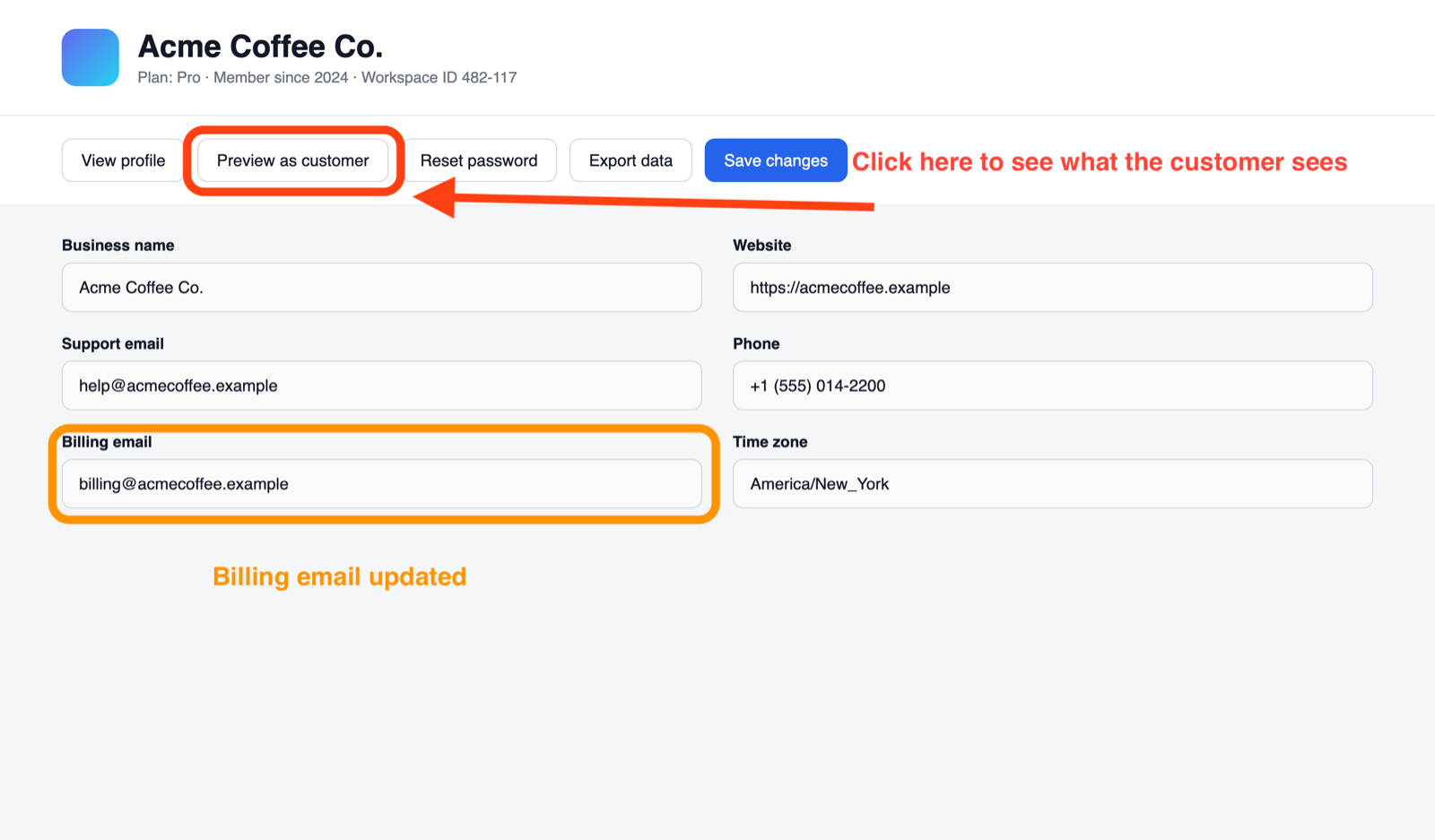
- Open the screenshot in Preview and click Markup.
- Choose Shapes › Rounded rectangle.
- Drag the box into place, then drag a corner to resize it.
- Make the border thicker.
- Add a text note and make it bold.
- Add an arrow from the note to the box.
- Highlight other fields in a second color.
- Press Cmd + S to save.
What you get
Every article comes back three ways.
How it works
You send a link. We send videos.
Send the article
Share the help doc and a demo account with sample data. You sign in once; we never handle your passwords.
We record and narrate
Every click is recorded in your real product, then cut, zoomed, captioned and voiced.
You review
One round of changes is included. Edits are quick — we change the script, not reshoot.
We keep it current
Your UI changes; your videos don't go stale. Retainer clients get refreshes.
Handled for you
The fiddly parts are ours.
Private data, blurred
Emails like , tabs, bookmarks and sign-in codes never reach the final cut.
Narration that's checked
Every line is transcribed back and re-recorded if a product name comes out wrong.
Your voice, if you want it
Use a natural stock voice, or a clone of your own for a consistent brand sound.
Zooms on every click
Viewers see exactly where to click, not a tiny full-screen recording.
Captions on screen
Every step is labeled, so the video works on mute.
Spelling checked
On-screen text is spell-checked in US English before anything is narrated.
Samples
Made with the same process.
Pricing
Founding rates for our first 5 clients.
We're new, so the first five clients get lower prices in exchange for honest feedback — and keep their rate for as long as they stay.
Single video
- Narration + captions
- One round of changes
- Delivered in 48 hours
Feature pack
- Consistent look across the set
- One round of changes each
- Delivered within 7 days
Help-center retainer
- Refreshes when your UI changes
- Priority turnaround
- Cancel anytime
Not sure yet? Start with a free sample video.
Free sample
Pick one article. We'll make the video.
Send us a link to any help doc. If you like the result, we'll talk about the rest. If not, it's yours to keep.